artcode DAW
A downloadable DAW
**artcode DAW is a complete music production environment.** Instruments,
effects, recording, arrangement and export are all in the box — you can start
from an empty project and finish a master without installing anything else.
It is built around the workflow that actually gets songs finished: **make a
short pattern, get it sounding right, then lay those patterns out into a track.**
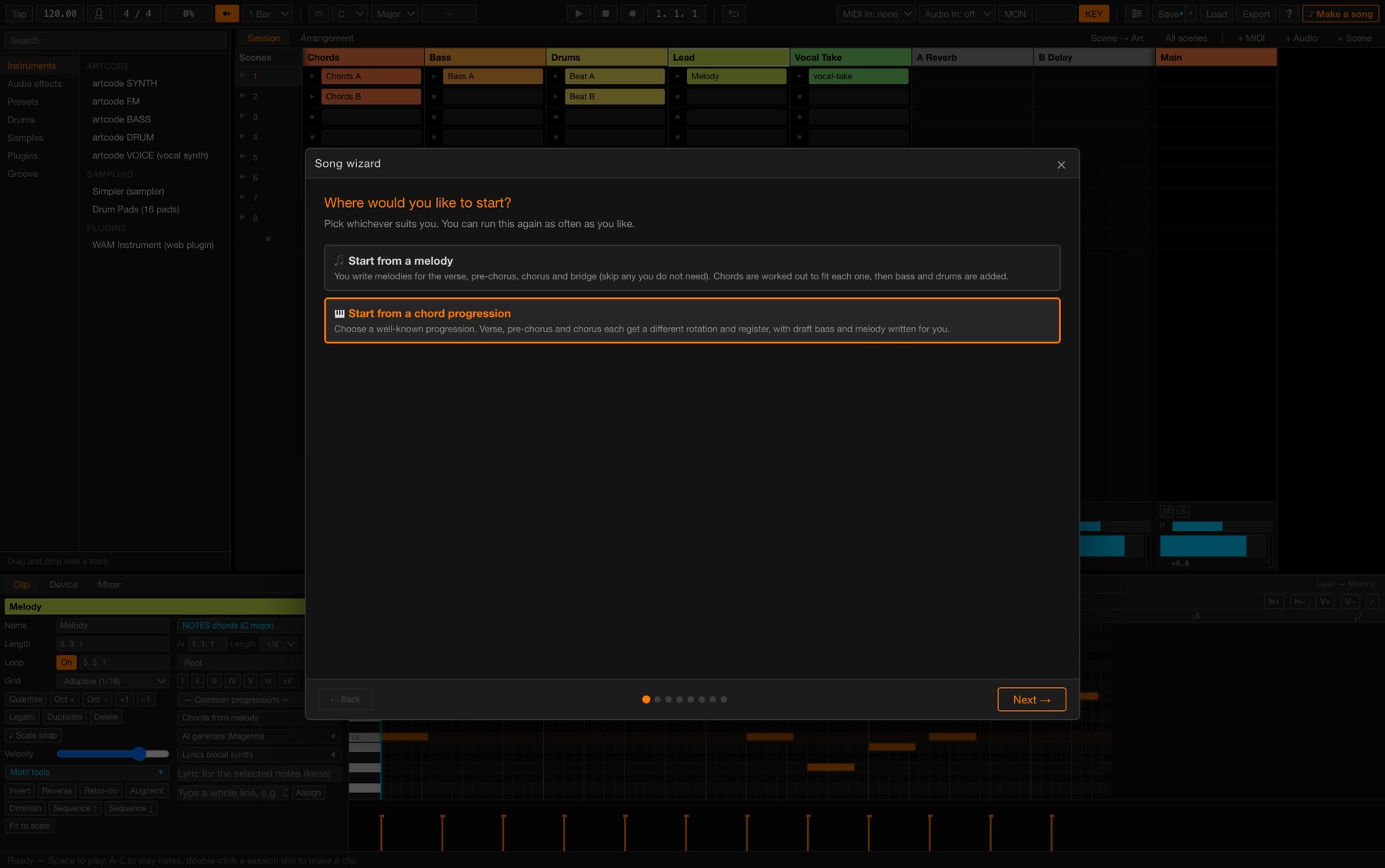
### Your melody becomes the song
**Write the tune you hear in your head.** artcode DAW works out the chords,
adds bass and drums, and builds it into a song. Draw it in the piano roll, play it
on a MIDI keyboard, or type it on your computer keyboard.
You don't need to know any music theory. **The only thing you need is the melody.**
This is the opposite of most "AI songwriting". The usual arrangement is
*you supply chords, it returns a melody*. artcode DAW puts **your melody in charge**
and fills in everything around it. The heart of the song stays yours.
- **It doesn't just pick the best-fitting chord for each bar.** It weighs how chords
lead into one another and chooses the sequence that flows as a whole — so the result
doesn't sound mechanical
- **It can work out the key for you**, from the distribution of notes in your melody.
You don't even have to say what key you're in — though you can
- Harmonise per bar, per two bars, per two beats or per beat. Finer means more chord movement
There are two ways in:
1. **♪ Make a song** — write the melody for the verse and chorus, and it builds
chords, bass, drums and the whole structure around them
2. **"Chords from melody" in the Clip editor** — reads the melody in the open clip and
writes chords to whichever track you choose. Works on parts of an existing song too
Everything it produces is ordinary MIDI, so any chord you don't like, you can change.
### Play it in. Get it back as real audio.
This is the part nothing else does quite the same way.
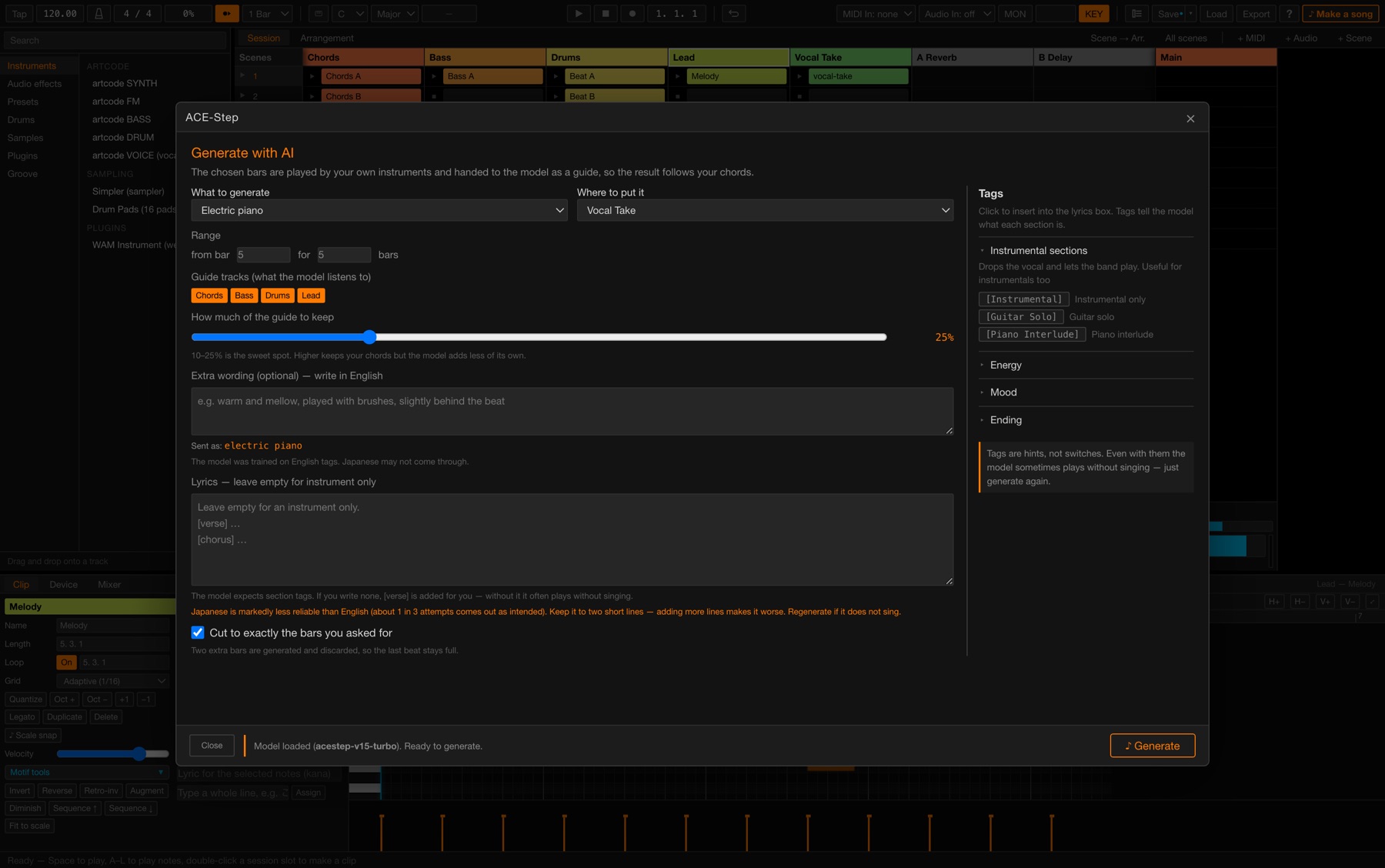
Prompt-based AI music gives you one thing: a roll of the dice. Don't like what
came back? Roll again. **artcode DAW hands the model your own playing instead.**
Select the bars, and artcode performs them with its own instruments and passes
that over as the guide, along with your key, scale, tempo and time signature.
What returns is a real recording that follows *your* chords and *your* melody.
- **You pick which tracks it listens to** — hand it the whole arrangement, or just the drums
- **You set how closely it follows** — hold your line exactly, or let it play freely over the top
- **Vocals come back as audio too**, and so do live-sounding parts — guitars, strings.
Shape the returned voice with the built-in Pitch Snap and Vocoder
- **It runs on your own Mac.** Your music is never uploaded. No account, no server, no queue
What comes back is an ordinary audio clip. Cut it, warp it, put effects on it —
keep the two bars you liked and throw the rest away.
> Separate install: the app fetches it for you (about 11 GB) and an Apple Silicon
> Mac is required. Everything else in artcode DAW works without it.
### Two views, one project
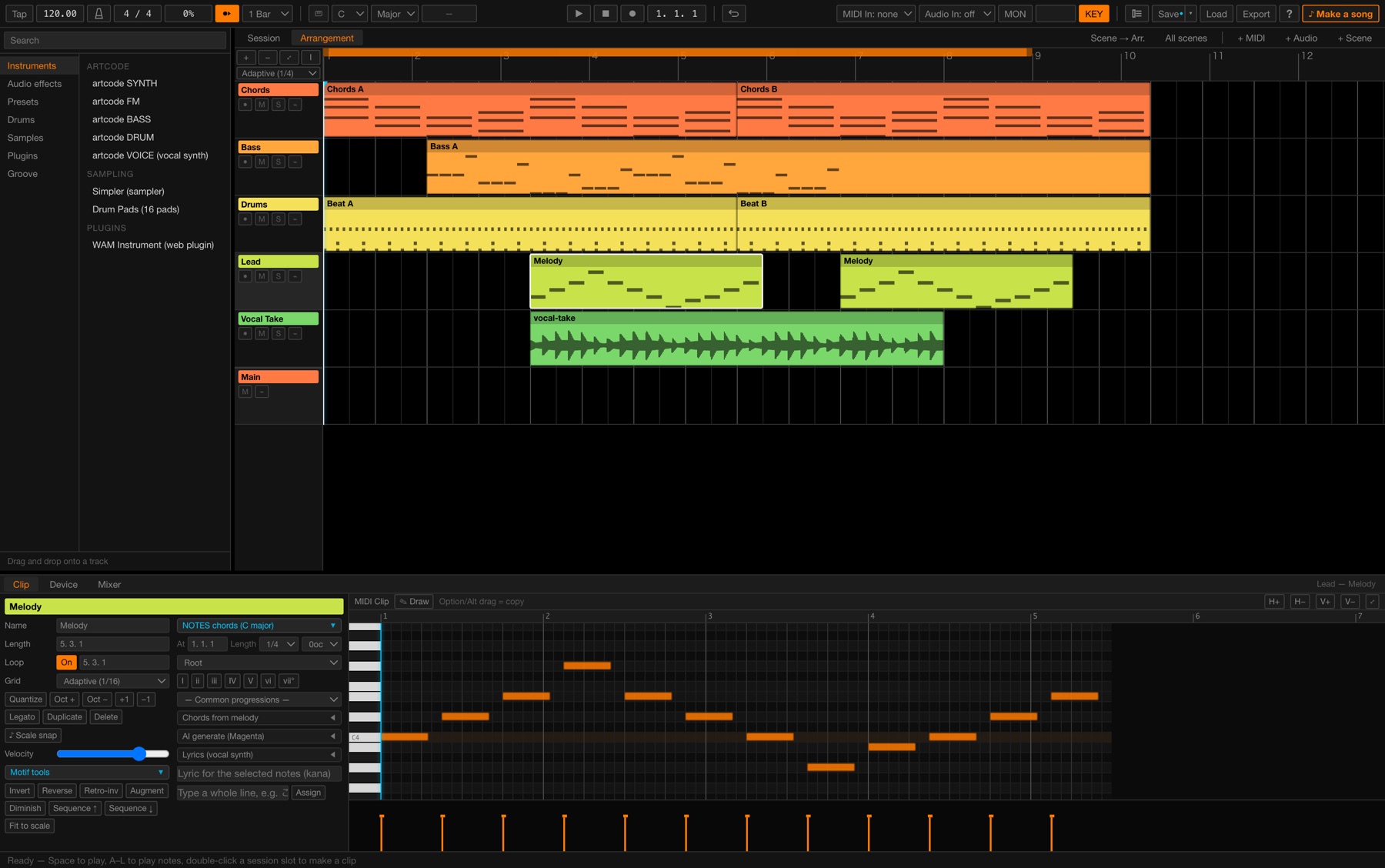
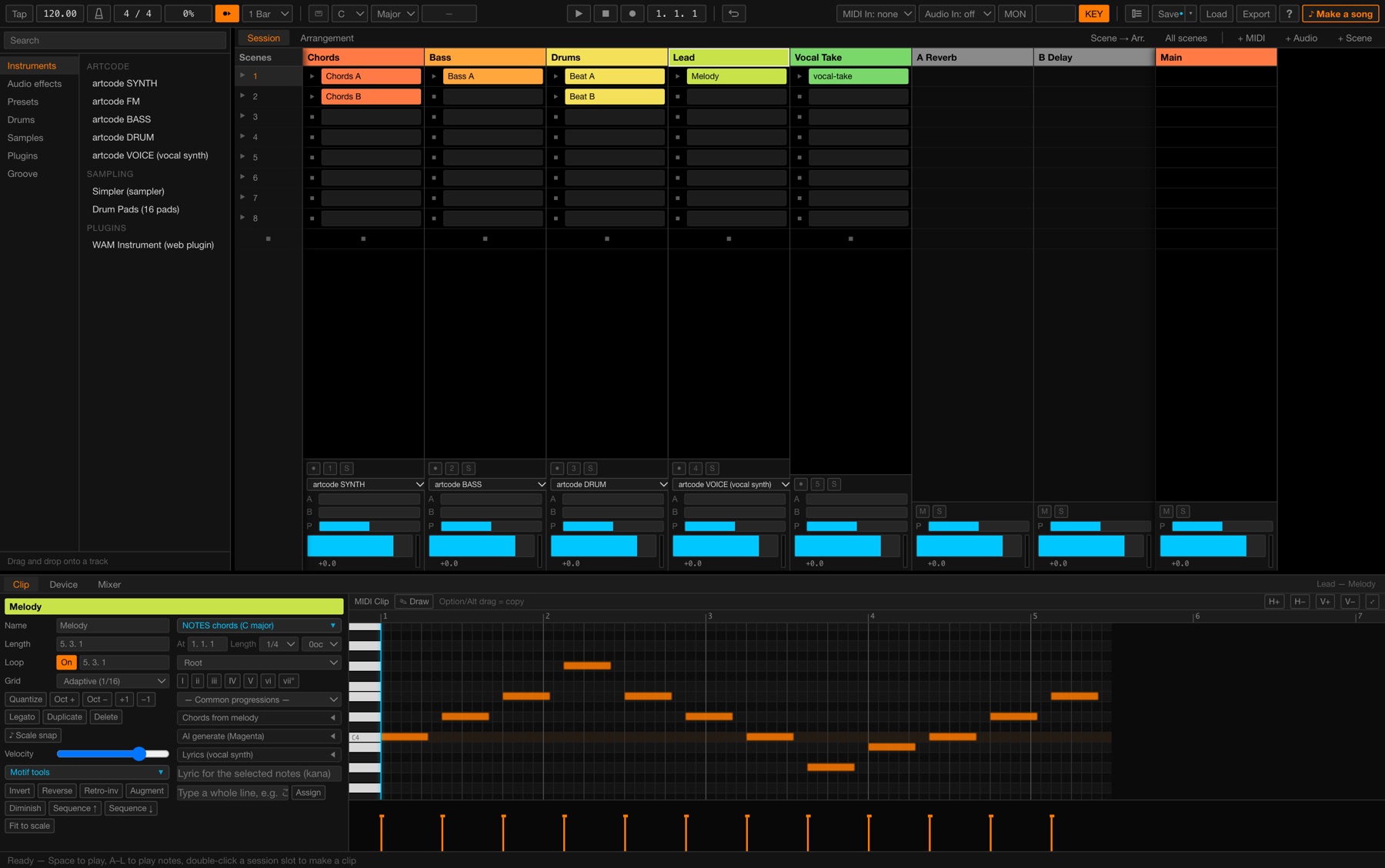
**Session** is your sketchpad. A grid of short clips you can fire off in any
combination until the arrangement suggests itself. **Arrangement** is the
timeline, where those same clips become a song. Move freely between them.
### Everything you need to make sound
Seven instruments — a subtractive synth, an FM synth, a dedicated bass, a drum
machine, a Japanese singing-voice synth, a sampler and a 16-pad drum sampler.
A full effects rack including EQ, compression, reverb, delay, chorus,
distortion, saturation, **Vocoder**, **Pitch Snap** (tuning correction and hard
robot-voice tuning) and **sidechain ducking**.
Load Web Audio Modules (WAM) plugins if you want to bring your own.
### Audio that behaves
Drop in a file and it is analysed for tempo and transients straight away. Warp
it to your project tempo, trim it, tune it, snap edits to zero crossings.
Grid-snapped range selection lets you lift a section straight out of a take and
drop it somewhere else — the material is never duplicated, so loop phase and
warp markers survive every cut.
### More AI, all of it local
**Bundled and offline.** Magenta models ship inside the app and never touch the
network. Write a melody that follows your chord progression, continue a drum
pattern you started, or add human timing and velocity to a stiff beat.
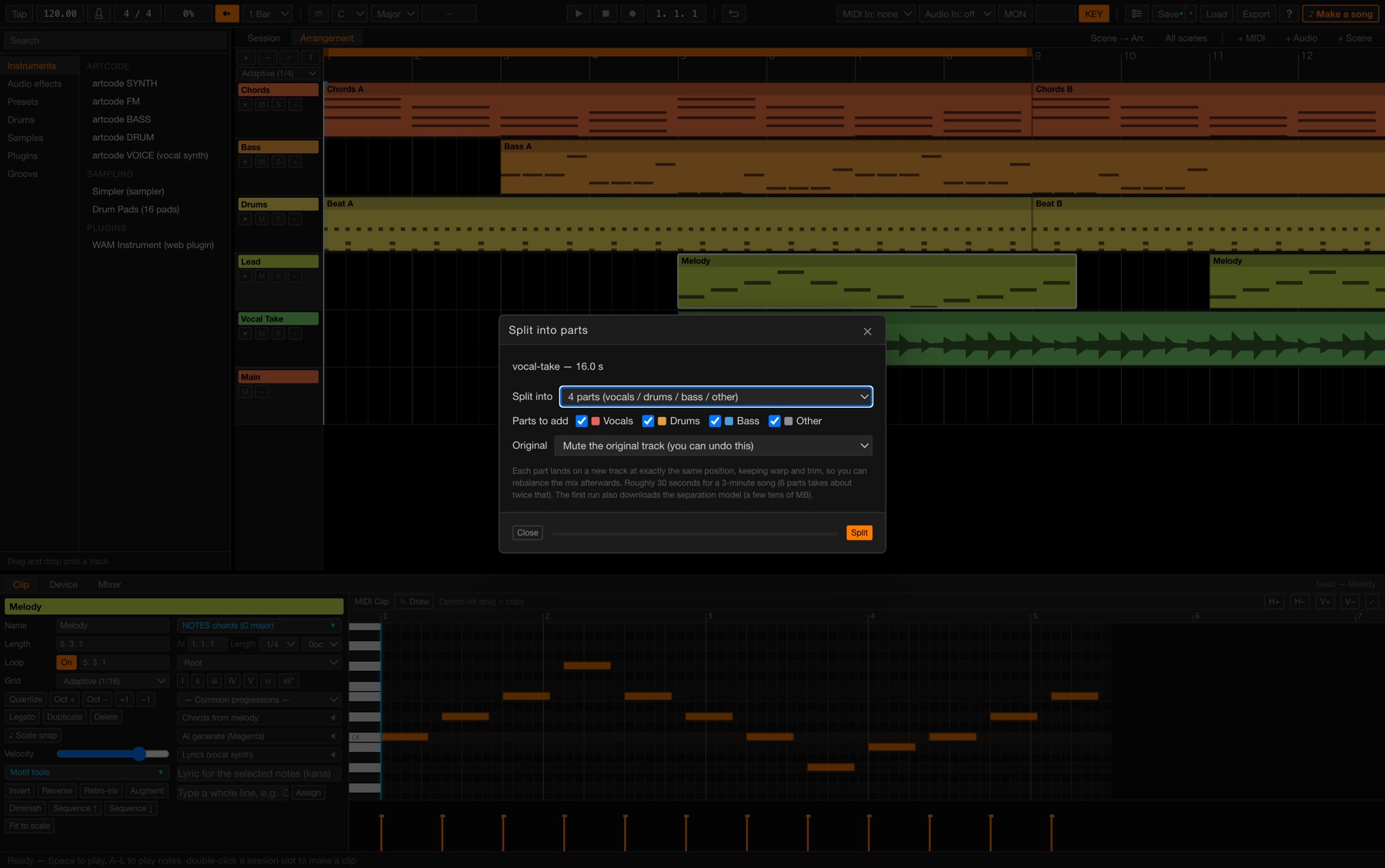
**Stem separation, one click.** Right-click any audio clip and split it into
vocals, drums, bass and other — or six parts including guitar and piano. Each
part lands on a new track at exactly the same position, keeping trim and warp,
so you can rebalance immediately. About 30 seconds for a 3-minute song on Apple
Silicon.
### Songwriting help, not gimmicks
One-click diatonic chords, common progressions, scale snapping, and motif tools
that invert, reverse, augment and diminish a phrase. A guided **Make a song**
wizard builds a full skeleton — chords, bass, drums, melody — from a key, a mood
and a structure, and everything it makes is ordinary editable clips.
### Finish and ship
Save as a single `.artcode` file with **all your audio embedded**, so one file
carries the whole project to another machine. Export the master or any single
track as WAV or MP3, at your choice of sample rate.
### What it does not do yet
**Third-party VST / AU plugins cannot be loaded.** Every instrument and effect is built in.
(If you own artcode VST synth / bass / drum, note that artcode DAW cannot host them yet.)
**There is no Windows build yet.** macOS 11 or later only.
Both are on the roadmap below.
### Roadmap
Stated plainly, so you know before you buy rather than after.
| | |
|---|---|
| **v1.0** (now) | macOS. Every instrument and effect built in |
| **Next major update** | **VST3 hosting** (macOS). Your own plugins, inside artcode DAW |
| **After that** | **Windows build** |
**Updates are free.** Buy once and those releases are yours too.
> **On price.** artcode DAW goes to **$79** when VST3 hosting lands.
> Buy at $49 today and you get that release at no extra cost.
### It's yours
**Everything you make with artcode DAW belongs to you.** Use it commercially,
sell it, licence it. No royalties. No attribution required.
INSTALLING
1. Open the .dmg and drag artcode DAW to your Applications folder.
2. Launch it. macOS will say "artcode DAW is an app downloaded from the
Internet. Are you sure you want to open it?" — that is the normal
first-launch notice. Click Open.
The app is signed and notarised by Apple, so you should not see an
"unidentified developer" warning. If you do, the download was corrupted —
download it again.
REQUIREMENTS
- macOS 11 Big Sur or later
- Apple Silicon and Intel (universal binary — Rosetta is not needed)
- 8 GB RAM minimum, 16 GB recommended
RECORDING
The first time you record, macOS asks for microphone permission. Allow it,
or your recording will be silent.
(To change it later: System Settings > Privacy & Security > Microphone)
OPTIONAL AI FEATURES
Melody generation (Magenta) ships inside the app and runs offline. Nothing
to install.
Audio generation (ACE-Step) and stem separation (Demucs) are fetched on
first use, from ✨ AI > Install inside the app:
- Apple Silicon required (PyTorch no longer ships an Intel build for macOS)
- About 11 GB of free space
- 16 GB RAM recommended
The app checks before any download starts. Everything else works without it.
THE MANUAL
Press ? inside the app for the built-in manual. The PDF (English and
Japanese) is also downloadable from this page.
https://artcode.jp/dawsite/artcode-DAW-manual-en.pdf
https://artcode.jp/dawsite/artcode-DAW-manual-ja.pdf
Purchase
In order to download this DAW you must purchase it at or above the minimum price of $39.20 USD. You will get access to the following files: